
Customer Relationship Management Basics: A Practical Guide to Growth
At its core, customer relationship management (CRM) is about organizing all your company's conversations and relationships with both current and potential customers. Think of it as your business's central command center, a single place to improve relationships, make processes smoother, and ultimately, drive growth. It transforms scattered data and messy conversations into clear, actionable opportunities.
What Is CRM and Why Does It Matter
Imagine trying to run a popular restaurant using only sticky notes for orders, reservations, and customer preferences. It would be pure chaos. Leads would get lost, follow-ups would be forgotten, and you'd be leaving money on the table every single day.
That's exactly what it feels like to manage customer relationships without a dedicated system.
A CRM platform solves this problem by acting as a smart, centralized hub. It neatly organizes every shred of customer data and every interaction—from emails and phone calls to WhatsApp chats and meetings. The goal is simple but powerful: to make sure no lead ever falls through the cracks and every customer feels seen and understood.
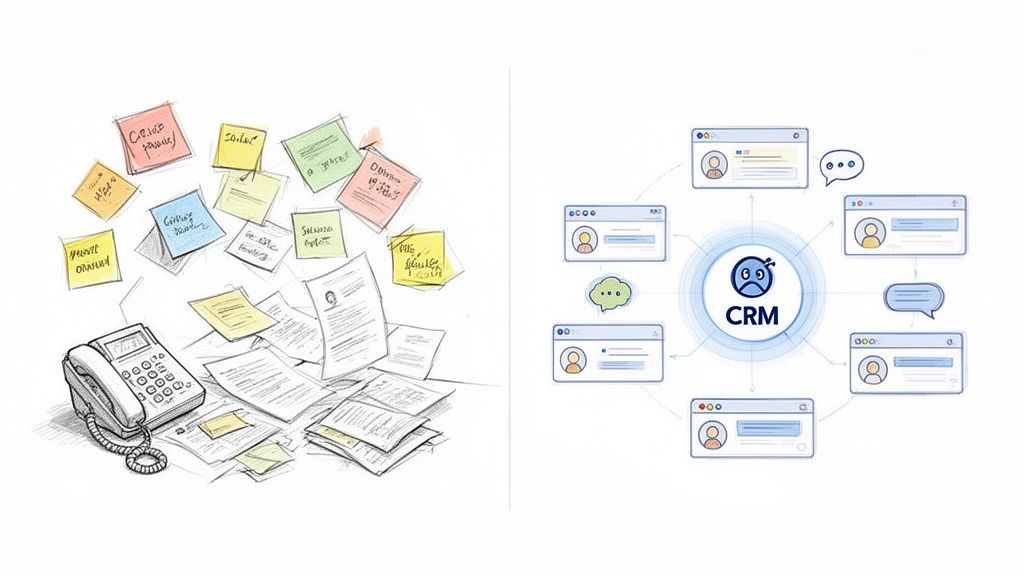
The Shift From Chaos to Clarity
Let's take a look at the very real difference a CRM makes in a team's day-to-day operations. Before a CRM, everything is a scramble. After, there's a clear, organized process that everyone can follow.
Before And After a CRM System
| Business Challenge | Without a CRM (The Sticky Note Method) | With a CRM (The Centralized Hub) |
|---|---|---|
| Lead Tracking | Leads are scattered in spreadsheets, personal phone contacts, and random notebooks. It's a mess. | All leads are captured and organized in one place, with a clear history of every interaction. Nothing gets lost. |
| Team Collaboration | Sales reps operate in silos. Sharing customer info means forwarding long email chains or messy screenshots. | The entire team has access to the same customer data, making handoffs seamless and collaboration effortless. |
| Sales Pipeline Visibility | Managers have no real-time view of the pipeline. They have to chase reps for manual updates. | A clear, visual pipeline shows exactly where every deal stands, making forecasting accurate and easy. |
| Customer History | Important context from past conversations is lost, forcing reps to ask customers the same questions over and over. | Every call, email, and chat is logged, giving reps the full story so they can have smarter conversations. |
| Follow-Ups | Remembering to follow up is left to memory or manual calendar reminders, leading to missed opportunities. | Automated reminders and tasks ensure timely follow-ups, keeping deals moving forward consistently. |
The "after" scenario isn't just about being more organized; it's about being fundamentally more effective. You're not just managing data; you're building stronger relationships based on a complete understanding of each customer's journey.
A CRM isn't just a digital address book. It's a living record of your entire relationship with a customer, giving your team the context they need to build trust and close deals faster.
This shift from manual chaos to digital clarity is becoming essential for survival. The global CRM market is projected to jump from USD 87.96 billion in 2026 to USD 128.86 billion by 2031. This explosive growth shows just how critical these tools are for modern businesses trying to turn messy conversations into predictable revenue.
For teams that live and breathe on platforms like WhatsApp, this kind of centralization is a total game-changer. It's the foundation for turning a constant stream of informal chats into a structured, measurable sales machine. You can learn more about how to do that in our guide on how to manage sales leads effectively. By creating a single source of truth, a CRM gives your team the power to deliver consistent, personalized experiences that build real customer loyalty.
The Four Pillars of a Modern CRM
To really get what a CRM is all about, it helps to stop thinking of it as a single tool. Instead, picture it as a structure built on four powerful pillars. Each one supports a critical part of your sales process, and when they stand together, they create a solid foundation for growth.
When these pieces work in sync, they turn a messy pile of customer interactions into a predictable engine for making money.
Let's break down exactly what these four pillars are.
Pillar 1: Contact Management
At its core, a CRM is your central address book—but a much, much smarter one. Contact management is the pillar that holds every scrap of information about your customers and leads. This isn't just some static list of names and phone numbers.
A good CRM captures the entire story of your relationship. It logs every call, saves every email, and—this is huge for modern sales teams—archives every single WhatsApp chat. This creates one rich, undeniable source of truth, giving anyone on your team instant context for every conversation.
Pillar 2: Pipeline Management
If contact management is your database, then pipeline management is your visual roadmap to revenue. It's a dynamic, interactive view of your entire sales process, usually laid out like a Kanban board.
Each column represents a stage in your sales journey—think "New Lead," "Contact Made," "Proposal Sent," and "Deal Won." For a deeper dive, check out our guide on sales pipeline management best practices.
Here's a look at what a clean, visual pipeline looks like inside a CRM built for WhatsApp teams.
This visual approach lets managers see exactly where every deal is at a glance. It makes forecasting way more accurate and helps you spot bottlenecks before they turn into real problems.
Pillar 3: Automation
The third pillar, automation, is your team's tireless assistant. So many daily sales tasks are repetitive and just plain drain your time, from sending follow-up reminders to assigning new leads to the right person. Automation takes care of all that administrative grunt work for you.
A CRM's automation feature doesn't just save time; it enforces consistency. It makes sure every lead gets a timely follow-up and that no opportunity ever falls through the cracks due to human error.
For example, a CRM can automatically:
Assign new leads to sales reps based on rules you set up.
Send reminders for follow-up calls or messages.
Move a deal to the next stage after a specific action happens.
This frees up your team to focus on what they actually do best: building relationships and closing deals.
Pillar 4: Reporting and Analytics
Finally, the fourth pillar is reporting and analytics. This is your business dashboard, turning raw sales data into clear, actionable insights. Without it, you're basically flying blind.
A CRM's reporting function answers the big questions. It helps you track key metrics like conversion rates, sales cycle length, and team performance. With this data, you can see which sales activities are actually working, forecast future revenue with confidence, and make smart decisions to fine-tune your entire sales strategy.
How a CRM Directly Translates Into More Sales
It's one thing to understand what a CRM does, but it's another to see exactly how those features fatten up your bottom line. This isn't just about adding another piece of software to your toolkit; it's a direct investment in the kind of tangible results that actually grow a business.
Think about it. By pulling every single lead from every channel into one place, you immediately put a stop to missed opportunities. No more leads lost in scattered inboxes, forgotten notebooks, or messy spreadsheets. No more "I thought you were handling that" moments that kill deals before they even start. A CRM makes sure every potential customer is accounted for from the very first hello.
This is where organization turns directly into profit.
From Organized Data to Profitable Relationships
Clear pipeline visibility is another absolute game-changer. When you can see every deal laid out across its specific stage—from "New Lead" to "Closed-Won"—you can suddenly forecast future sales with surprising accuracy. This lets you point your resources (your time, attention, and budget) at the deals most likely to close, massively boosting your team's effectiveness.
Then there's automation, which kicks everything into a higher gear. By taking over the repetitive, soul-crushing tasks like sending follow-up reminders or assigning new leads, a CRM frees up your sales team to do what they do best: build genuine connections. Faster response times have a huge impact on your ability to win deals. For more on that, check out our detailed guide on how to improve your sales conversion rate.
This infographic really breaks down how the core pieces of a CRM fit together.
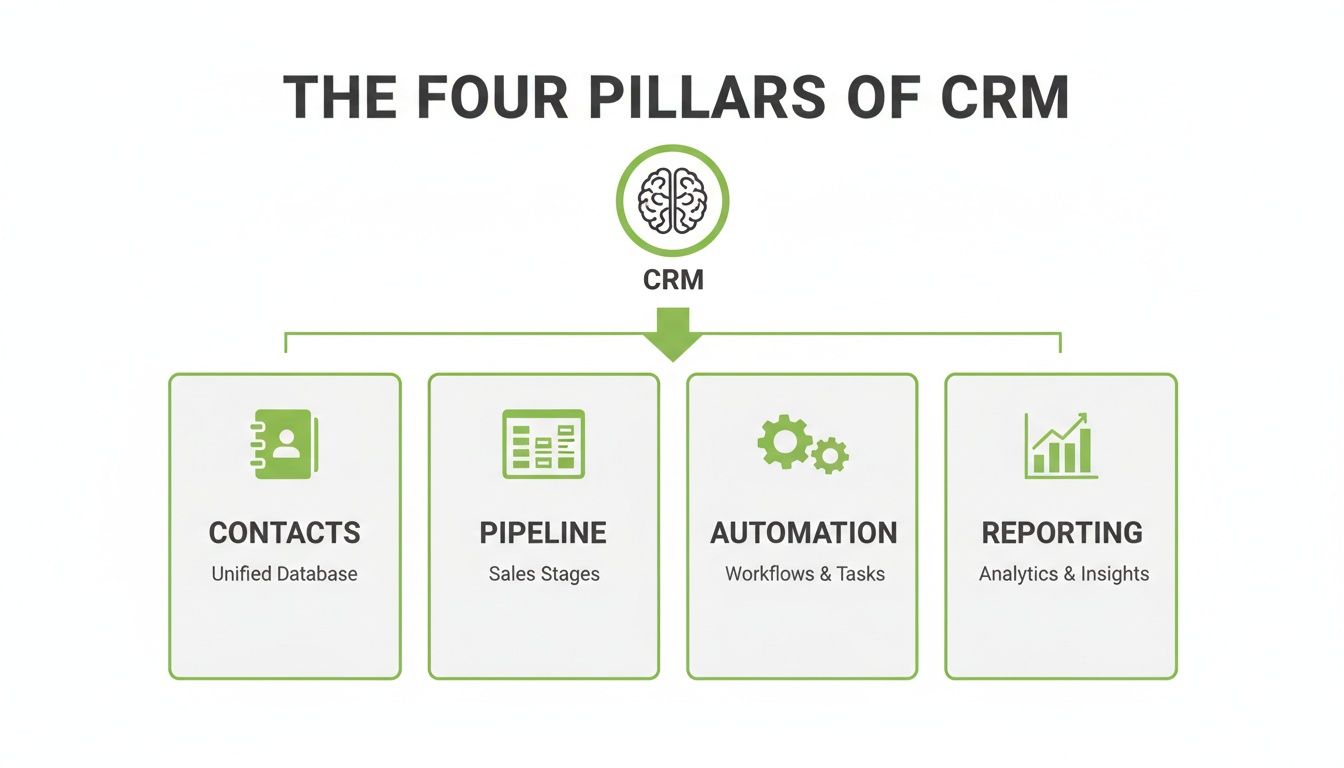
Each pillar—Contacts, Pipeline, Automation, and Reporting—builds on the others, creating a powerful, revenue-generating system that works together seamlessly.
The Overlooked Power of Retention
But maybe the biggest, most overlooked benefit is customer retention. A CRM gives your team the full context of every single past interaction. This is huge. It means customers never have to repeat themselves and always feel like you get them. That feeling of being understood is the bedrock of loyalty.
The numbers back this up in a big way.
Studies show that customer retention gets a massive 27% boost from CRM usage. This is absolutely crucial for businesses where scattered chats often lead to forgotten leads and lost sales. Even better, for every $1 invested in CRM, businesses earn an average of $8.71 in return, making it one of the highest-return tech investments you can make.
At the end of the day, a CRM isn't just another expense on a balance sheet. It's a direct investment in customer happiness and sustainable growth, systematically turning organized data into profitable, long-lasting relationships.
Your Simple CRM Implementation Plan
Bringing a CRM into your business for the first time can feel like a massive, complicated project. But it doesn't have to be. If you break it down into a few common-sense steps, it becomes totally manageable, even for a small team without a dedicated IT department.
Think of it less like a scary tech overhaul and more like a simple, logical upgrade to how you already work.
This roadmap is designed to walk you through the process so you end up with a tool your team actually wants to use—one that delivers real results. Let's get into the five essential steps.
Step 1: Define Your Core Goal
Before you look at a single feature or price tag, stop and ask yourself one critical question: "What's the single biggest problem we need this to solve?"
Trying to fix every little issue at once is a classic recipe for disaster. You have to get specific.
Are you constantly losing track of leads from WhatsApp? Is your follow-up game all over the place? Do you have zero visibility into what your sales pipeline actually looks like? Your answer is the north star for this entire process. A clear goal keeps you from getting distracted by shiny features you don't actually need.
Step 2: Choose the Right Tool
Okay, now that you know your goal, you can start looking for a tool that solves that specific problem. Resist the temptation to go for the biggest, most complicated system on the market. For most small and mid-sized businesses, simplicity is your best friend.
Focus on tools that fit into how your team already operates. If your sales team lives and breathes on WhatsApp, a CRM built specifically for that world will get adopted in a heartbeat. A generic, clunky platform? Not so much.
Step 3: Import and Clean Your Contacts
It's time to round up your data. Pull all your contacts from every spreadsheet, phone address book, and dusty email list you can find, and get them ready for their new home.
This step is a golden opportunity for a fresh start. Seriously, take the time to clean up your data. Get rid of duplicates, fix typos, and delete contacts that are ancient history. A clean database is the bedrock of a CRM that actually works.
Step 4: Customize Your Sales Pipeline
Your sales process isn't the same as anyone else's, so a one-size-fits-all pipeline is useless. You need to map out the actual stages a lead goes through, from the first "hello" to a closed deal.
Keep it simple, at least to start. Your stages might look something like this:
New Lead: A fresh inquiry just landed in your inbox.
Contact Made: You've had the first real conversation.
Proposal Sent: They have a quote or proposal in their hands.
Negotiation: You're hammering out the final details.
Won/Lost: The deal is officially done, one way or the other.
You can always add more complexity later on as you get a better feel for things.
Step 5: Train and Empower Your Team
This is it—the final and most important step. Getting your team on board isn't about forcing them to use new software; it's about showing them how it makes their jobs easier.
Frame it around the "what's in it for them." Show them how the CRM gets rid of mind-numbing data entry, sends automatic reminders so they never drop the ball, and ultimately helps them close more deals. When your team sees the tool as a helpful sidekick instead of another chore, they'll actually embrace it.
Ultimately, successful implementation comes down to two things: strong team buy-in and choosing the right lead management software that supports them where they already work.
The Future of CRM for Conversational Sales
The way people sell is changing. We're moving away from rigid forms and formal emails and into a world of fast-paced, real-time conversations. With so much business now happening in chat apps like WhatsApp, the old definition of customer relationship management is starting to feel dated.
Traditional CRMs were built for a different era—one dominated by email inboxes and phone logs. They often feel clunky and out of place when dealing with the fluid, informal nature of a WhatsApp chat. This new reality demands a new kind of tool.
The future isn't about adding more dashboards or forcing reps to fill out endless fields. It's about building intelligent, helpful features directly into the chat platforms where sales teams already spend their entire day. It's about making technology feel less like a chore and more like an invisible partner in every single conversation.
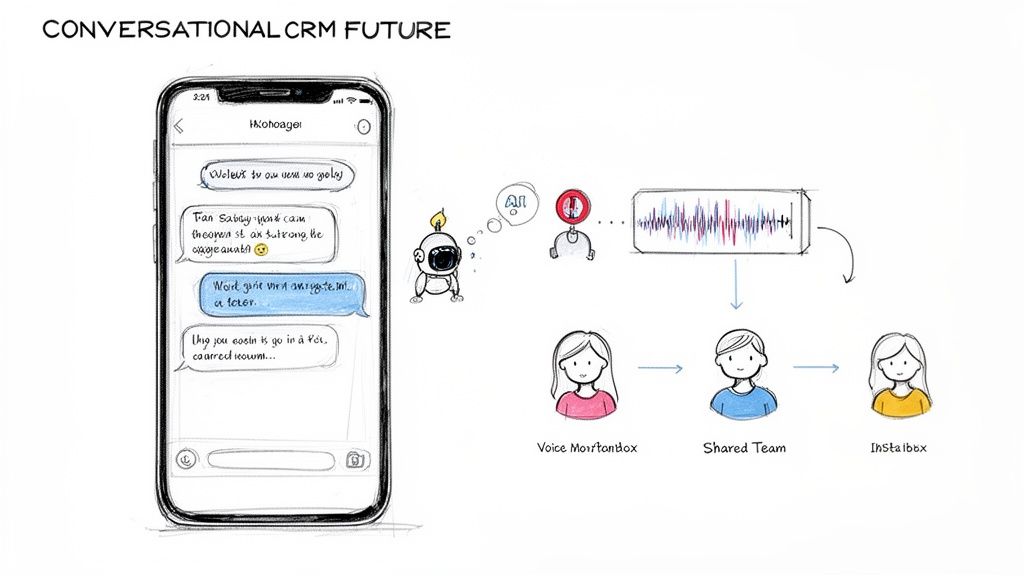
Making Technology a Helpful Teammate
Modern CRMs designed for this new world focus on features that enhance the natural flow of a conversation instead of interrupting it. This is all made possible through direct API integrations with platforms like WhatsApp, unlocking powerful tools that simply weren't possible before.
A true conversational CRM gives you things like:
A Unified Team Inbox: Imagine all your team's WhatsApp chats flowing into one central, organized place. No more lost leads or chaos from managing conversations across a dozen personal phones.
Real-Time Collaboration: Team members can drop internal notes, @mention a manager for help, or assign a chat to a specialist—all without the customer ever seeing the coordination happening behind the scenes.
Seamless Pipeline Integration: A sales rep can create a new deal and move it through a visual pipeline right from their chat screen. A simple conversation instantly becomes a trackable opportunity.
The core idea is simple: bring the CRM to the salesperson, not force the salesperson to go to the CRM. When you meet your team where they already work, adoption becomes a non-issue. It just makes sense.
So, how does a modern, conversational CRM compare to the traditional tools most of us are used to? Let's break it down.
Traditional CRM vs. Conversational CRM
| Feature | Traditional CRM | Modern WhatsApp CRM (like Closi) |
|---|---|---|
| Primary Focus | Data entry, logging emails/calls | Real-time conversations, team collaboration |
| User Interface | Complex dashboards, separate tabs | Unified team inbox, lives inside WhatsApp |
| Lead Capture | Manual entry, web forms | Automatic from new chats, QR codes |
| Updating Deals | Reps must switch apps to update | Update pipeline directly from the chat screen |
| Teamwork | Email chains, separate tools | Internal notes, @mentions within chats |
| Automation | Complex rule-based workflows | AI-powered summaries, smart suggestions |
| Mobile Experience | Often a simplified, limited app | Full-featured, native to the mobile chat experience |
The difference is clear. One is a system of record you have to maintain, while the other is a living tool that helps you sell.
The Practical Impact of AI in Chat
Artificial intelligence is what makes this conversational approach truly powerful. Forget the buzzwords; we're talking about tangible, everyday value. Instead of overwhelming you with complex analytics, AI in a conversational CRM handles the practical tasks that save your reps hours of busywork.
This means they can respond faster and with more context.
Here's a perfect example of how Closi uses AI to instantly add context to any WhatsApp conversation. With just one click, a rep can get an AI-powered summary of a long chat thread or a full transcription of a voice note.
No more manual note-taking. No more scrolling back endlessly to figure out what was discussed.
These AI tools are embedded right inside the chat interface, giving anyone on the team immediate context. A manager can jump into a conversation and understand its entire history in seconds. This isn't about replacing humans; it's about using smart technology to make human interactions more informed, efficient, and ultimately, more successful.
Got Questions About CRM? Let's Clear Things Up.
Even after you get the basics, jumping into the world of CRMs can feel a bit overwhelming. These tools promise the world, but it's totally normal to wonder about the cost, the learning curve, and whether your business is even "ready" for one.
Let's cut through the noise and tackle the questions I hear most often from business owners. Getting these answers straight will help you pick the right tool and get your team on board from day one.
Frequently Asked Questions
Have a question not in here? Contact us
- Isn't CRM just for big corporations?
This is probably the biggest myth out there. While massive companies definitely need complex CRM systems, the core idea is even more crucial for small and medium-sized businesses. Think about it: for a smaller company, losing a single hot lead can sting a lot more. Modern, cloud-based CRMs are built to be affordable, easy to get started with, and they grow with you. They give smaller teams the exact same organizational firepower that used to be reserved for the big players, letting you compete on how well you treat your customers, not just how big your office is.
- How is a CRM any different from my spreadsheet?
A spreadsheet is a flat, static list of names and numbers. A CRM, on the other hand, is a living, breathing system for managing relationships. A spreadsheet can hold data, but that's where its job ends. It can't automatically log your conversations, show you where every deal is in your sales pipeline, or ping you with a reminder about a critical follow-up. It's just... data. A spreadsheet tells you who your customers are. A CRM tells you the entire story of your relationship with them.
- How do I get my sales team to actually use it?
This is the million-dollar question, and it boils down to two things: simplicity and value. If the tool you pick is clunky, complicated, or just feels like extra homework, your team will find every excuse not to use it. Guaranteed. First, you have to choose a CRM that slots right into their existing workflow. Don't force them into a completely new process. If your team lives and breathes on WhatsApp, a CRM built for WhatsApp will feel like a natural extension of what they already do. Second, you have to show them—don't just tell them—how it makes their life easier.
Stop losing leads in scattered WhatsApp chats. Closi centralizes every conversation into a unified team inbox with a visual sales pipeline, giving you the clarity and control to grow your revenue. Start for free and see the difference in minutes.