
The 12 Best Sales CRM for Small Business in 2026: An In-Depth Guide
Scattered spreadsheets, missed follow-ups, and leads falling through the cracks are the growing pains every small business faces. As your team expands, managing customer relationships manually becomes unsustainable, directly impacting your bottom line. A dedicated Customer Relationship Management (CRM) system is not just a tool for large corporations; it's the operational backbone that helps small businesses organize contacts, track deals, and build a predictable sales engine.
However, with hundreds of options available, choosing the right one can feel overwhelming. Many CRMs are too complex, too expensive, or simply not built for the way modern small businesses operate, especially those who rely heavily on sales channels like WhatsApp. This guide cuts through the noise. We've analyzed and ranked the top platforms to help you find the best sales CRM for your small business, focusing on usability, scalability, and features that deliver a real return on investment.
This comprehensive resource provides:
In-depth profiles of the top sales CRMs with honest pros and cons.
Direct links and up-to-date screenshots for each platform.
A detailed comparison table to quickly evaluate features and pricing.
A buyer's checklist specifically for WhatsApp-first sales teams.
We will compare each platform's strengths, weaknesses, and ideal use cases to ensure you make an informed decision that fuels your growth, not complicates it.
1. Closi
Best For: SMBs and sales teams that operate primarily through WhatsApp.
Closi earns its top spot by directly addressing a critical, and often chaotic, sales channel for small businesses: WhatsApp. It is purpose-built to transform scattered chat conversations into a structured, predictable revenue engine. Instead of juggling leads across multiple personal phone numbers, Closi centralizes every customer interaction into a unified team inbox, making it a definitive contender for the best sales crm for small business operating in a chat-first world.
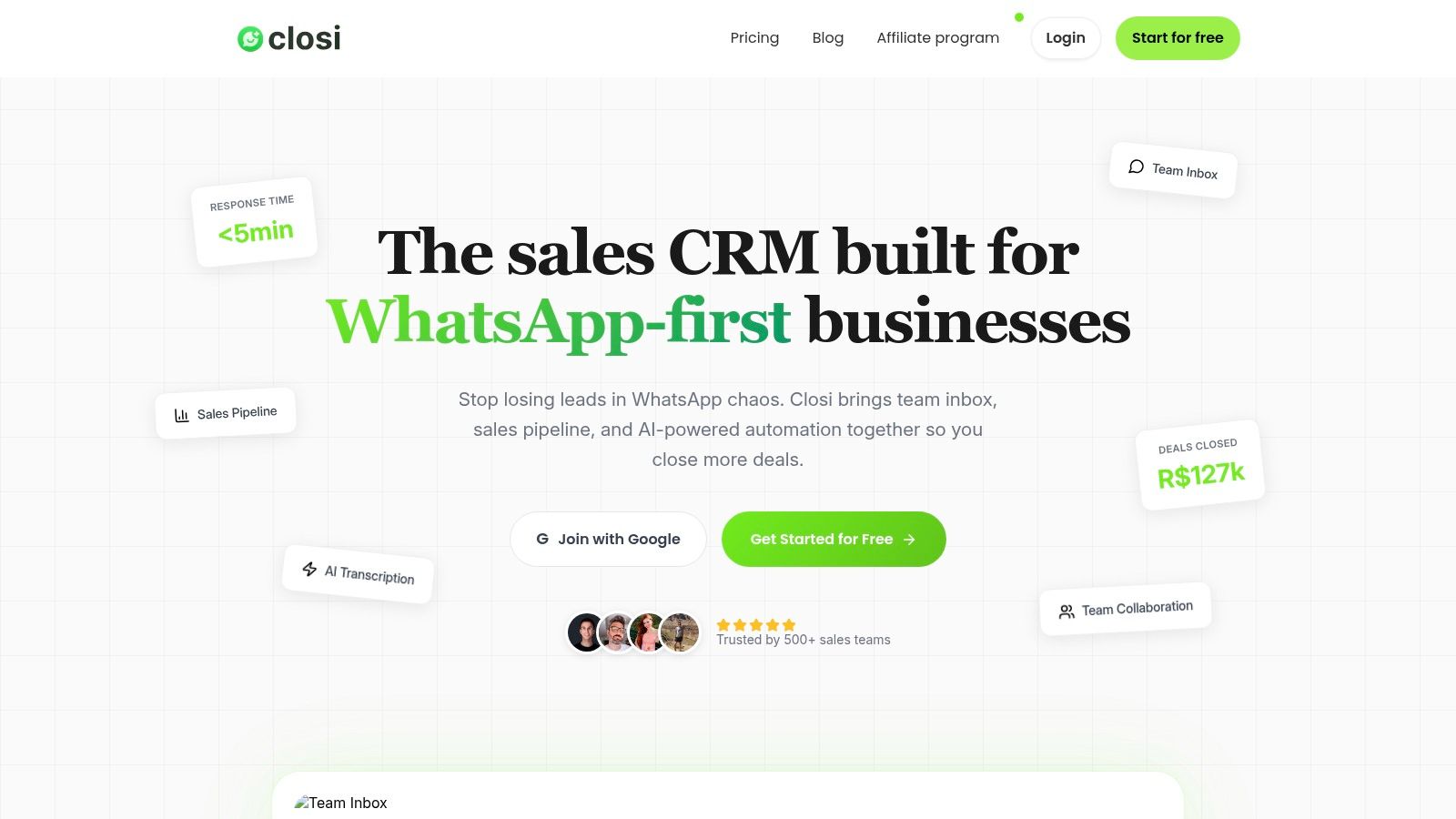
This platform's standout feature is its seamless integration with the official WhatsApp Business API. This connection enables real-time conversation sync, lead assignment, and internal collaboration tools like notes and @mentions directly within the CRM. This unified workflow ensures no lead is ever lost or ignored, a common pain point for teams managing high volumes of inquiries.
Key Features and Advantages
Closi's design is laser-focused on sales productivity within the WhatsApp environment. Its visual, drag-and-drop Kanban pipeline allows managers to track deal progress, assign values, and forecast revenue with complete clarity. Features like round-robin lead routing ensure fair and automated distribution of new inquiries, preventing any single rep from becoming a bottleneck.
The platform also leverages AI to accelerate response times and reduce manual effort.
Automatic Voice-Note Transcription: Instantly converts audio messages into text, saving reps valuable time.
One-Click Conversation Summaries: AI generates concise summaries of long chat histories, allowing team members to get up to speed in seconds.
Quick-Reply Templates: Standardize common responses for faster, more consistent communication.
This combination of a structured pipeline and AI-driven tools makes Closi uniquely effective for turning high-touch WhatsApp conversations into closed deals. If you're new to this kind of tool, you can learn more about the fundamentals of customer relationship management here.
Pricing & Implementation
Closi offers a refreshingly transparent pricing model, including a free forever plan for small teams just getting started. Paid tiers are affordable, scaling from $29 to $129 per user per month (billed annually), with no hidden per-conversion fees. Onboarding is exceptionally fast; you can connect your WhatsApp Business account in one click, invite your team, and begin managing deals in minutes.
Pros:
- Unified WhatsApp inbox prevents lost leads.
- AI-powered tools (transcription, summaries) boost productivity.
- Visual sales pipeline with forecasting and lead routing.
- Fast, one-click setup via the official Meta API.
- Transparent pricing with a robust free plan.
Cons:
- Requires an existing WhatsApp Business account and API approval.
- AI and template language support is currently limited to English, Spanish, and Portuguese.
2. HubSpot Sales Hub
HubSpot Sales Hub is a powerhouse in the CRM space, particularly for small businesses looking for a free, yet robust, starting point. Its free-forever CRM provides essential tools like contact management, deal tracking, and a meeting scheduler, making it an excellent choice for businesses dipping their toes into CRM functionality without any financial commitment. The platform's user-friendly interface and extensive onboarding resources, like the renowned HubSpot Academy, significantly lower the learning curve.
What sets HubSpot apart is its scalability and ecosystem. As your business grows, you can upgrade to paid tiers that unlock powerful sales automation, forecasting, and lead sequencing features. This scalability ensures you won't outgrow the platform quickly. Its vast marketplace of integrations allows it to connect with virtually any tool in your existing tech stack, creating a unified hub for all sales activities. For teams focused on structured follow-ups, understanding sales pipeline management best practices is key to leveraging HubSpot's deal stages effectively.
While the free version is a strong contender for the best sales CRM for small business, it's important to note its limitations. Email sending caps and feature restrictions on the free and Starter tiers can be restrictive. Costs can also escalate quickly with paid plans and mandatory onboarding fees for professional tiers.
Ideal For: SMBs focused on inbound marketing and sales that need a free, scalable starting point.
Key Features: Free core CRM, sales automation (paid), forecasting (paid), large app marketplace.
Pricing: Starts with a powerful free plan. Paid "Starter" plan from $15/user/month.
Website: hubspot.com/products/sales
3. Salesforce Sales Cloud (Small Business Suites)
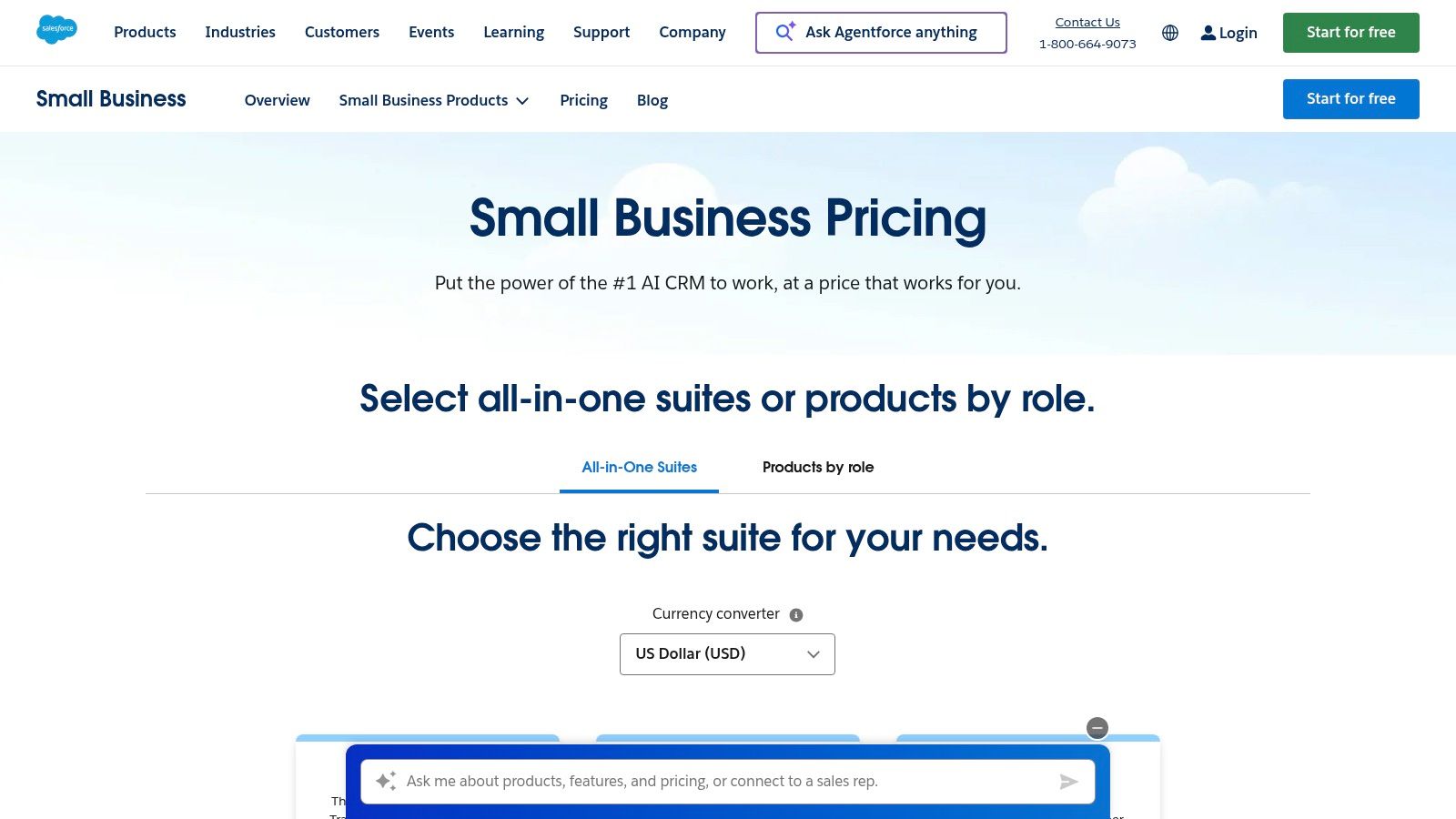
Salesforce Sales Cloud is often seen as an enterprise giant, but its small business suites offer a powerful, scalable entry point for growing teams. These tailored packages provide access to the core functionalities of the world's leading CRM, including robust sales pipelines, forecasting, and quoting tools. It's designed for businesses with ambitions to scale, offering a clear upgrade path that ensures the platform grows alongside them without requiring a disruptive migration later on.
The primary strength of Salesforce lies in its immense customization capabilities and the extensive AppExchange marketplace. This allows businesses to tailor the CRM to their exact processes and integrate nearly any tool, transforming it into a central command center for sales operations. Teams looking to centralize their customer data will find it one of the best lead management software solutions due to its deep data handling and analytics features. Built-in AI and native Slack collaboration further enhance productivity for forward-thinking teams.
However, this power comes with a steeper learning curve compared to simpler CRMs. While the small business suites are more streamlined, mastering the platform's full potential requires a significant time investment. Additionally, the costs can increase substantially as you add more users or require specific add-ons from the AppExchange, making it a considerable financial commitment for some small businesses.
Ideal For: Ambitious SMBs that anticipate rapid growth and need a highly customizable, enterprise-grade platform.
Key Features: Advanced sales forecasting, AppExchange marketplace, deep customization, built-in AI options.
Pricing: Starts with a "Starter" suite at $25/user/month.
4. Zoho CRM
Zoho CRM positions itself as an all-in-one platform, offering an extensive suite of features at a price point that is highly attractive to small and medium-sized businesses. Its strength lies in its deep integration with the wider Zoho ecosystem, including Zoho Books, Campaigns, and Projects, allowing businesses to manage nearly every operational aspect from a single vendor. The platform provides robust tools for lead and deal management, workflow automation, and multi-channel communication, making it a comprehensive solution for teams looking to centralize their sales processes.
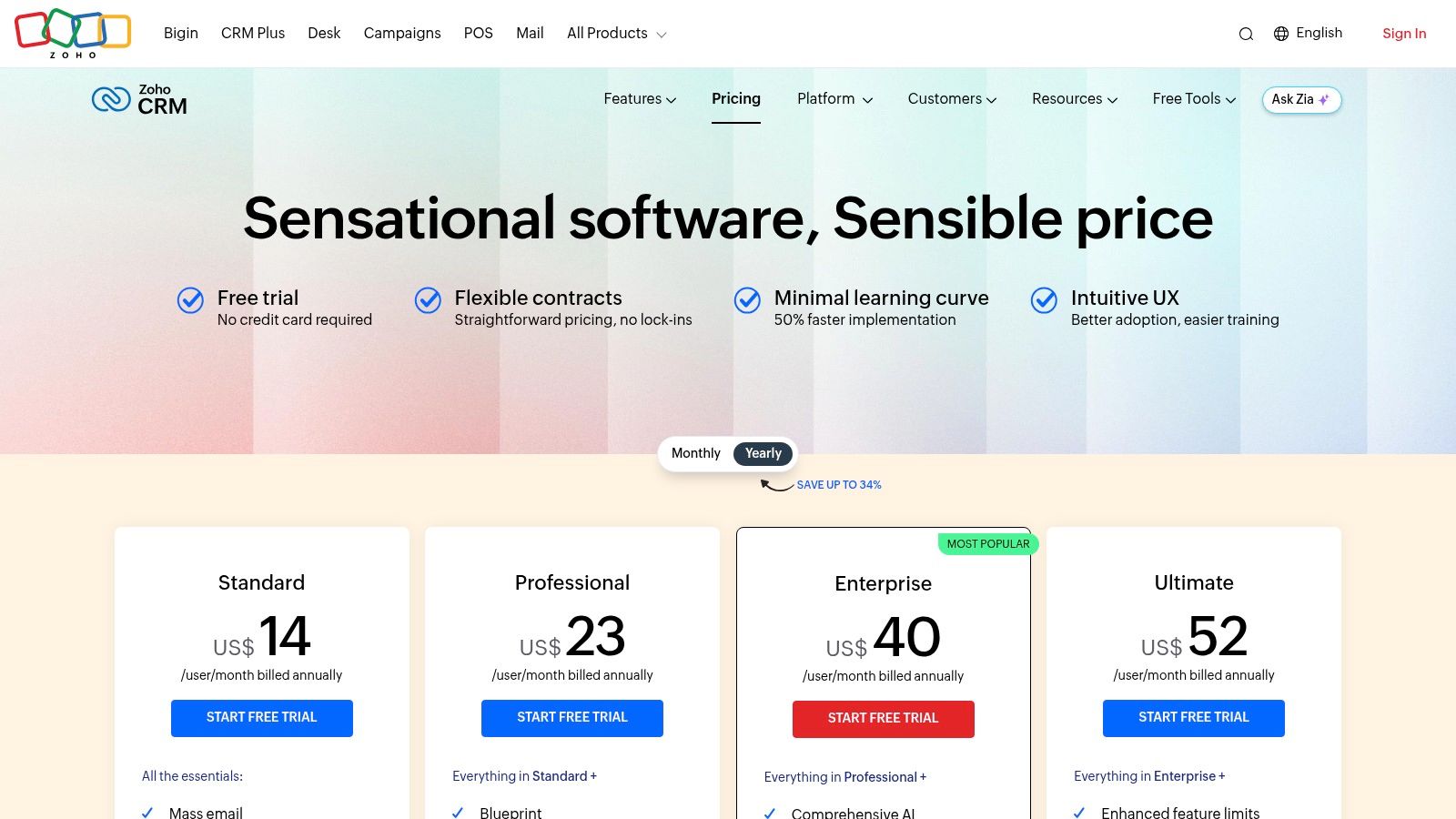
What makes Zoho a strong contender for the best sales CRM for small business is its value proposition. Even at lower-priced tiers, it includes advanced features like workflow automation and process management tools called Blueprints, which guide sales reps through specific actions. The introduction of Zia, an AI-powered sales assistant, provides predictive insights and task automation that are often reserved for enterprise-level CRMs. Properly utilizing its features is key, and understanding how to manage sales leads effectively will help teams maximize the platform's potential from day one.
While powerful, Zoho can present a steeper learning curve compared to more streamlined competitors, particularly its reporting and customization modules. Furthermore, some of its most compelling features, like the Zia AI and advanced analytics, are only available in the higher-priced Professional and Enterprise editions. Despite this, its generous free edition for up to three users provides an excellent entry point for very small teams.
Ideal For: Budget-conscious SMBs that want an all-in-one business suite with powerful automation.
Key Features: Lead/deal management, workflow automation (Blueprints), Zia AI assistant (paid), large native app ecosystem.
Pricing: Free plan for up to 3 users. Paid "Standard" plan from $14/user/month.
Website: zoho.com/crm
5. Pipedrive
Pipedrive is a sales-first CRM built around the philosophy of activity-based selling. It's designed from the ground up to help small teams visualize their sales process and focus on the actions that close deals. The platform's core strength is its highly intuitive, drag-and-drop visual sales pipeline, which allows reps to see exactly where every deal stands at a glance. This simplicity significantly reduces onboarding time and encourages user adoption, a common hurdle for small businesses implementing new software.
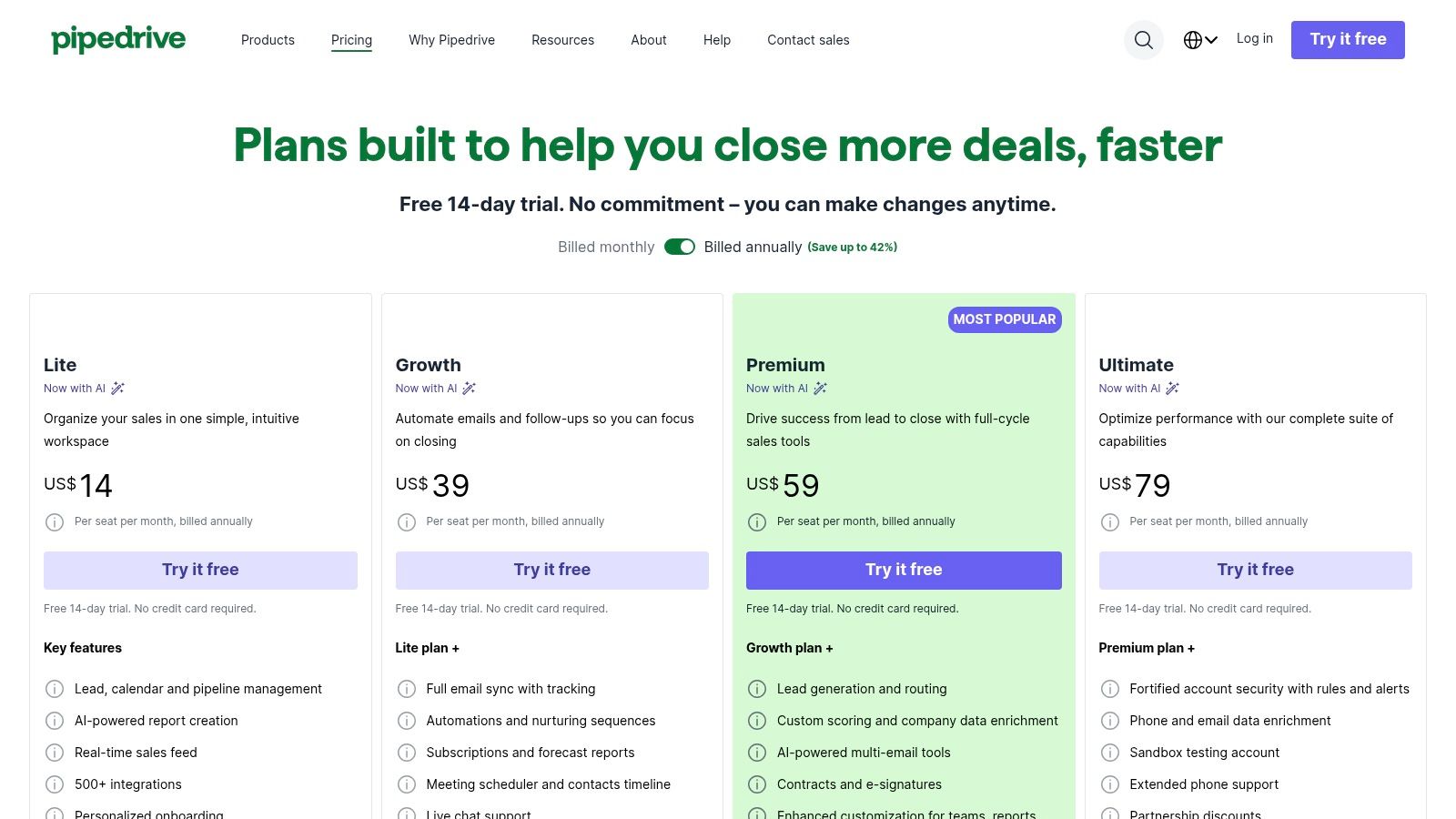
What makes Pipedrive a top contender for the best sales CRM for small business is its unwavering focus on the sales pipeline. It prompts users to schedule a next activity for every deal, ensuring no lead falls through the cracks. The platform also offers robust integrations with tools like Gmail, Outlook, and Slack, along with a marketplace of over 500 apps, allowing it to fit into most existing workflows. Its built-in scheduler and email sync features help streamline daily tasks for busy sales reps.
However, Pipedrive's laser focus on sales means it's less of an all-in-one solution. Marketing features like email campaigns and lead generation tools often require paid add-ons, which can increase the total cost. Unlike some competitors, it does not offer a permanent free plan, providing only a 14-day free trial for users to evaluate the platform before committing to a paid subscription.
Ideal For: Sales-driven teams that need a simple, visual, and action-oriented tool to manage their deal flow.
Key Features: Visual sales pipelines, activity-based selling prompts, email and calendar sync, 500+ integrations.
Pricing: Starts with the "Essential" plan from $14/user/month. A 14-day free trial is available.
Website: pipedrive.com/en/pricing
6. Freshsales by Freshworks
Freshsales by Freshworks stands out as a value-packed sales CRM designed for small businesses that prioritize an all-in-one communication and sales platform. Its strength lies in integrating phone, email, and chat directly into the CRM, eliminating the need for multiple, disjointed tools. This unified approach allows sales reps to engage with prospects across various channels from a single screen, providing a complete contextual history of every interaction.
The platform shines with the power of its AI-powered assistant, Freddy AI. Freddy helps teams by automatically scoring leads based on their engagement, providing actionable insights on deals, and even assisting with writing sales emails. This built-in intelligence makes Freshsales a strong contender for the best sales crm for small business for teams looking to work smarter without a hefty price tag or complex setup. The visual, Kanban-style deal pipelines also make it simple to track progress and identify bottlenecks.
While Freshsales offers a generous free plan and aggressive pricing on its paid tiers, it may not offer the same depth of customization as more enterprise-focused platforms. Additionally, some advanced AI features and chatbot sessions may require purchasing add-on credits, which is an important consideration for teams planning heavy automation usage.
Ideal For: SMBs seeking a unified sales and communication platform with built-in AI at an affordable price.
Key Features: Built-in telephony and chat, Freddy AI for lead scoring and insights, multiple Kanban pipelines.
Pricing: Free plan available for up to 3 users. Paid plans start from $15/user/month.
7. monday sales CRM
Built on the flexible monday.com Work OS, monday sales CRM transforms the traditional CRM into a highly visual and collaborative workspace. It's particularly powerful for small businesses that need more than just sales tracking; they need a unified platform where sales, marketing, and project management can coexist seamlessly. Its no-code, drag-and-drop interface allows teams to build custom pipelines, dashboards, and automated workflows without needing technical expertise.
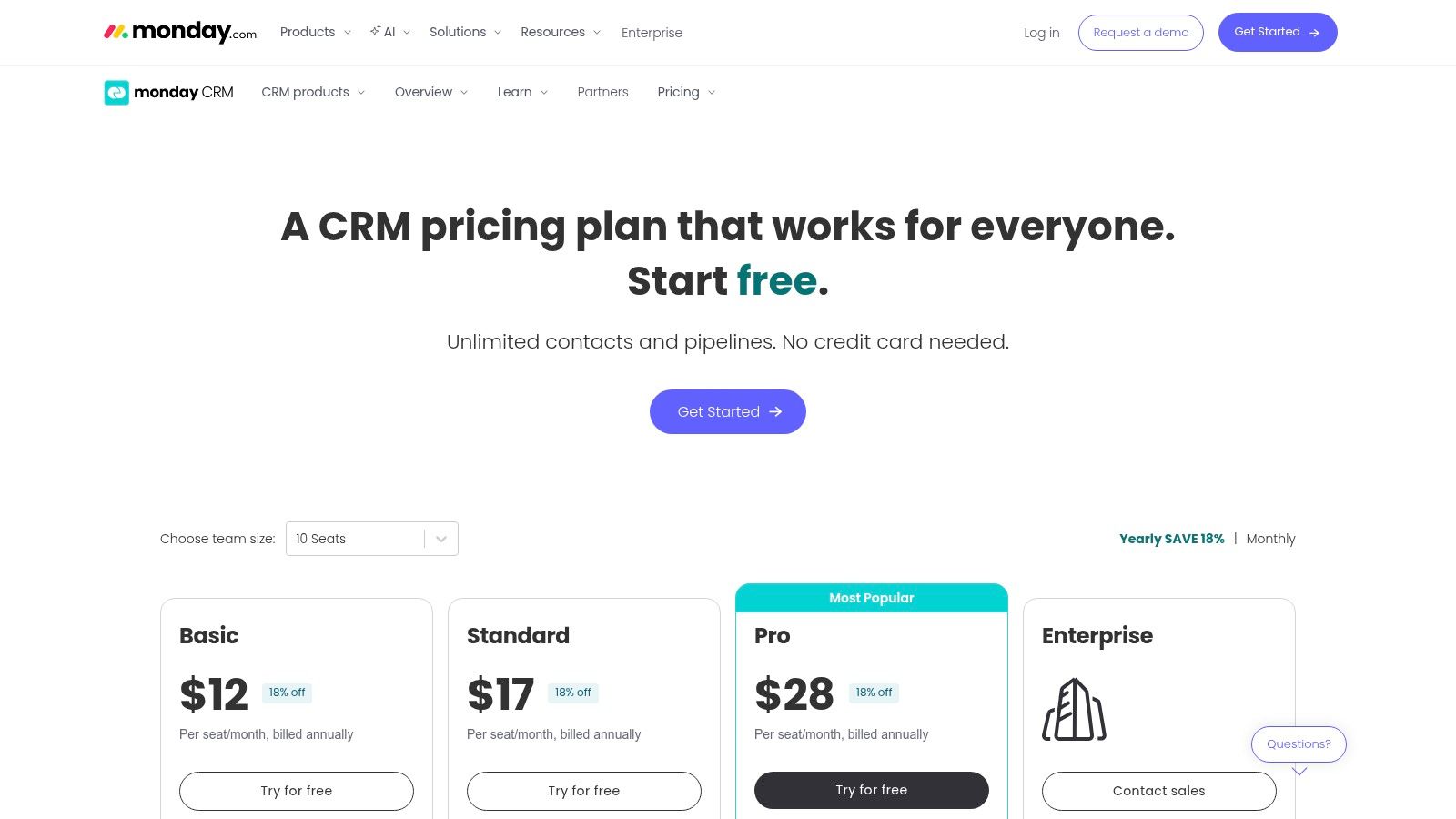
What makes monday stand out is its emphasis on cross-functional visibility. Sales activities can be linked directly to marketing campaigns or post-sale implementation projects, giving everyone a clear view of the entire customer lifecycle. Features like two-way email sync, customizable templates, and embedded tools for quotes and invoices streamline the sales process from lead capture to closing. This level of customization and visibility makes it a strong contender for the best sales CRM for small business teams who value process control.
However, the platform's strength in flexibility can also be a drawback, as it requires more initial setup than some out-of-the-box CRMs. The mandatory three-seat minimum on all paid plans can be a barrier for solo entrepreneurs or very small teams, and advanced sales features like forecasting are reserved for the more expensive Pro and Enterprise tiers.
Ideal For: Teams that need a highly visual and customizable CRM that connects sales with other business operations.
Key Features: Customizable pipelines and dashboards, no-code automations, 2-way email sync, quotes and invoices (paid).
Pricing: Requires a minimum of 3 users. Paid plans start at $12/user/month for the Basic plan.
Website: monday.com/crm/pricing
8. Keap
Keap positions itself as an all-in-one platform designed to centralize CRM, sales, and marketing automation for established service-based businesses. It goes beyond a simple sales pipeline by integrating tools for email and SMS marketing, appointment scheduling, invoicing, and payments directly into its core functionality. This consolidation is its primary strength, aiming to replace multiple subscriptions with a single, unified system where customer data seamlessly flows from lead capture to final payment.
The platform is renowned for its powerful automation builder, which allows users to create sophisticated "if/then" workflows for follow-ups, lead nurturing, and internal task assignments. For businesses that feel overwhelmed by this complexity, Keap offers extensive expert coaching and onboarding services to ensure proper setup and strategy implementation. This hands-on support makes it a strong candidate for a small business wanting a robust sales CRM but lacking the internal resources to configure it alone.
However, Keap's comprehensive nature comes at a higher price point. There is no free plan, and its contact-based pricing can become costly as your list grows. Furthermore, new users are often required to purchase a one-time expert coaching package, adding to the initial investment. This makes it less suitable for startups or businesses on a tight budget.
Ideal For: Service-based businesses needing to consolidate CRM, marketing automation, and payment processing.
Key Features: Advanced automation builder, integrated invoicing and payments, appointment scheduling, SMS and email marketing.
Pricing: Starts at $159/month for 1,500 contacts and 2 users. Expert coaching packages are an additional one-time fee.
Website: keap.com
9. Copper
Copper is the CRM of choice for small businesses deeply embedded in the Google Workspace ecosystem. Its core strength lies in its native integration with Gmail, Google Calendar, and Google Drive, allowing sales teams to manage leads and deals directly from their inbox. This eliminates the need for constant context-switching, as the CRM lives as a sidebar within your familiar Google applications, automatically capturing emails, meetings, and files associated with a contact or deal.
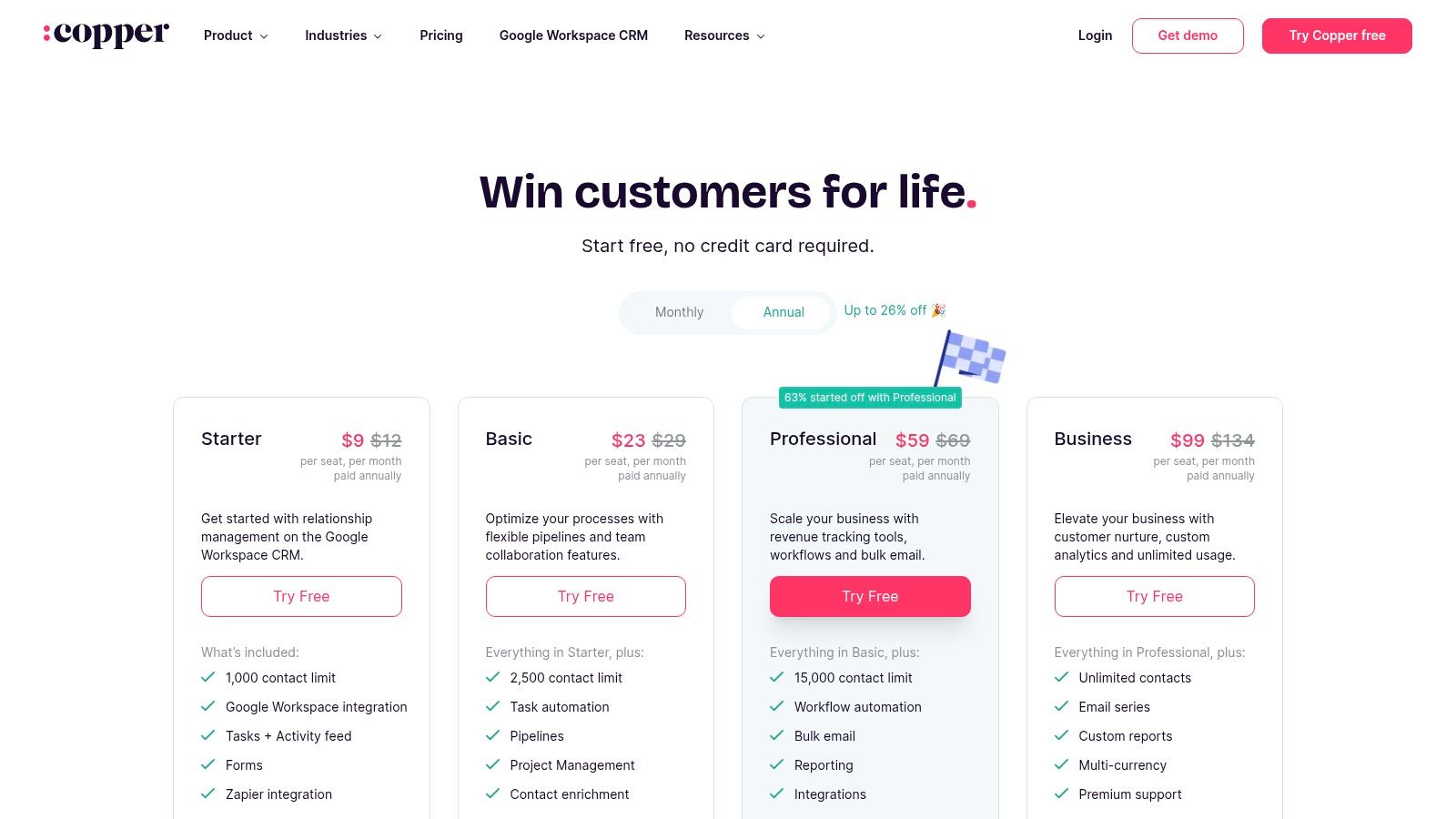
What makes Copper stand out is its commitment to zero data entry. It automatically scrapes contact information from your email threads and calendar events, enriching profiles and building a comprehensive interaction history without manual work. This makes it an incredibly efficient tool for teams that live and breathe Gmail. The clean, intuitive interface ensures that user adoption is fast, making it a strong candidate for the best sales crm for small business that prioritizes simplicity and a Google-centric workflow.
While the seamless integration is a major advantage, there are some limitations. The platform is less effective for teams that don't primarily use Google Workspace. Furthermore, lower-tier plans come with contact limits, and access to more advanced support or onboarding services can require purchasing a minimum number of user seats, which may be a hurdle for very small teams or solo entrepreneurs.
Ideal For: SMBs and sales teams that operate almost exclusively within Google Workspace (Gmail, Calendar, Drive).
Key Features: Native Google Workspace integration, zero-touch data entry, pipeline management, task automation, contact enrichment.
Pricing: Starts with the "Basic" plan at $23/user/month.
Website: https://www.copper.com/pricing
10. Nutshell
Nutshell is a compelling all-in-one CRM designed specifically for small and medium-sized businesses, emphasizing simplicity and growth. It stands out by offering unlimited contacts and data storage across all its plans, a significant advantage for SMBs who don't want to be penalized for building a large database. The platform combines core CRM functionalities with built-in email marketing tools, allowing teams to manage sales pipelines and nurture leads from a single interface without extra costs.
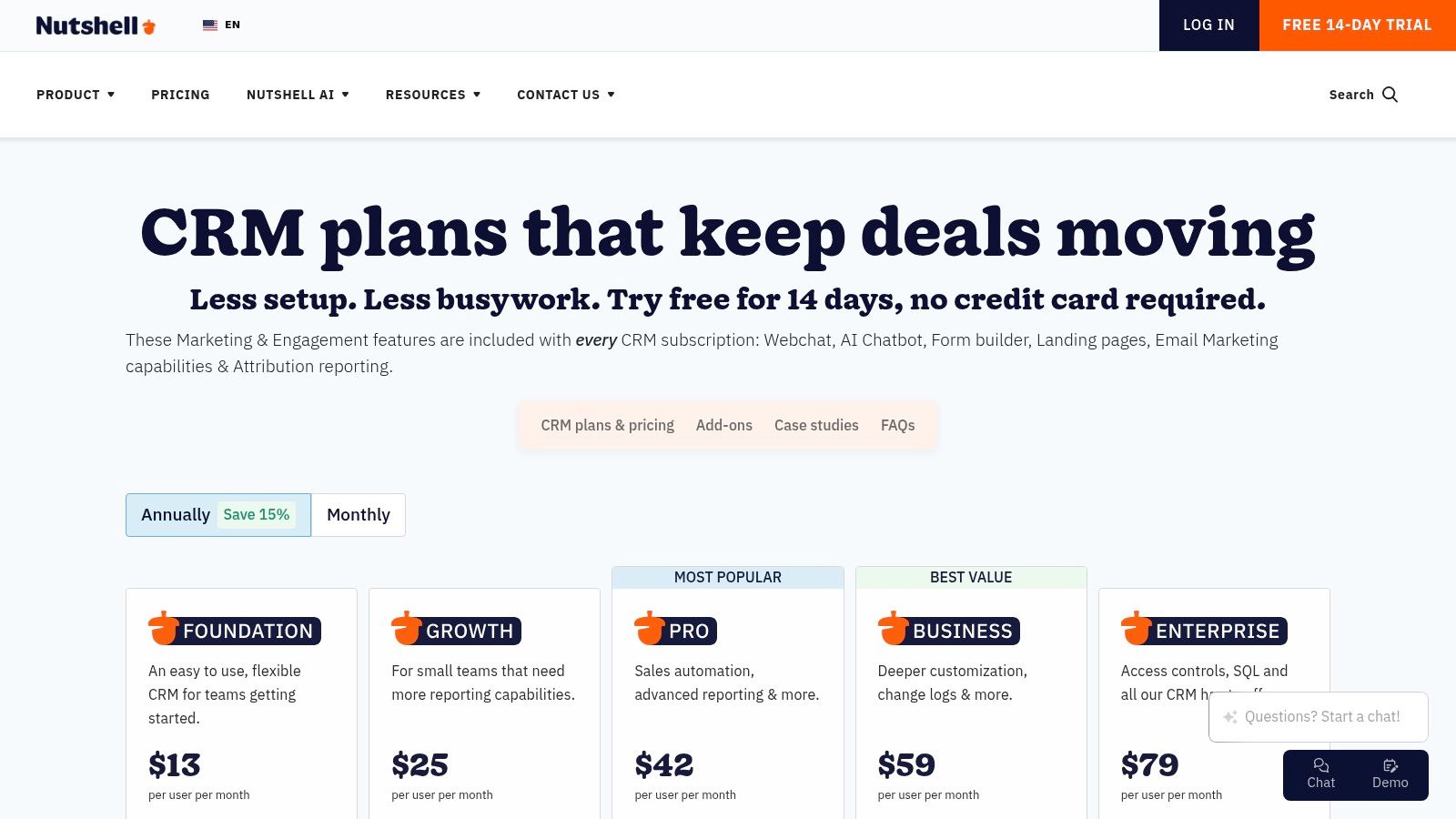
What makes Nutshell a strong candidate for the best sales CRM for small business is its commitment to user support and ease of use. Every plan includes live, friendly support, ensuring that teams can get set up quickly and resolve issues without frustration. Its feature set is robust, including customizable sales pipelines, automation for repetitive tasks, and insightful reporting. Higher-tier plans add advanced AI features like conversation intelligence and transcription, helping teams extract more value from their customer interactions.
However, its approach to pricing can be a double-edged sword. While the core offering is generous, essential functions like quoting and invoicing are sold as separate add-ons, which can increase the total cost. Furthermore, its library of third-party integrations is not as extensive as giants like HubSpot or Salesforce, which might be a consideration for businesses with complex, pre-existing tech stacks.
Ideal For: SMBs that need an easy-to-use CRM with unlimited contacts and integrated email marketing.
Key Features: Unlimited contacts, multiple pipelines, built-in email marketing and landing pages, AI agents (paid).
Pricing: Starts at $16/user/month (billed annually) for the "Foundation" plan.
Website: https://www.nutshell.com/pricing
11. G2 (CRM — Small Business category)
While not a CRM itself, G2's Small Business CRM category is an indispensable research tool for any team searching for the right platform. It acts as a comprehensive buyer marketplace, aggregating crowd-sourced reviews, real-user satisfaction scores, and detailed feature comparisons. This approach allows you to move beyond marketing copy and see how actual small businesses are using and rating different software solutions. For any small business owner, this peer-to-peer insight is invaluable when shortlisting options.
What makes G2 a crucial stop in the buying journey is its powerful filtering and comparison engine. You can narrow down the vast CRM market by specific features, company size, and user satisfaction, creating a manageable list of contenders. The platform provides verified pros and cons from current users, offering an unfiltered look at each tool's strengths and weaknesses. This helps teams find a solution that truly fits their workflow, making it a critical resource for identifying the best sales CRM for small business needs without committing to endless demos.
The main drawback is that you must be mindful of sponsored placements, which can affect the visibility of certain products. It also requires you to do the due diligence of vetting the shortlisted platforms yourself, as G2 is a starting point for research, not the final decision-maker.
Ideal For: SMBs in the research phase looking for unbiased, peer-reviewed data to create a CRM shortlist.
Key Features: Crowd-sourced ratings and reviews, dedicated "Small Business" category filters, head-to-head software comparisons.
Pricing: Free to browse and use for research.
Website: g2.com/categories/crm/small-business
12. Capterra (CRM for Small Businesses)
While not a CRM itself, Capterra is an indispensable research tool for any small business on the hunt for the right software. It's a comprehensive online directory that aggregates thousands of software solutions, providing detailed lists, user reviews, and feature comparisons. For those trying to find the best sales CRM for small business, Capterra allows you to filter options by price, specific features, deployment type (cloud vs. on-premise), and user ratings, making it a powerful starting point for your search.
What makes Capterra particularly useful is its "Shortlist" reports and vendor comparison tools. These resources distill user review data and search activity into actionable insights, helping you quickly identify top-rated and trending platforms. You can benchmark costs, view screenshots of the user interface, and read recent user comments that often reveal real-world strengths and weaknesses not found in marketing materials. This allows you to create a well-informed shortlist before committing to product demos.
However, it's crucial to use Capterra as a guide, not a final source of truth. Pricing information and feature sets can sometimes lag behind vendor updates, so always verify details directly on the CRM provider's website. Some listings may also be light on deep technical specifics, requiring further investigation for businesses with unique integration needs.
Ideal For: SMBs in the initial research phase, wanting to compare a wide range of CRMs and read user reviews.
Key Features: "Best CRM for Small Businesses" lists, filters for price and features, vendor pages with plan summaries, user ratings.
Pricing: Free to use for research.
Website: capterra.com/customer-relationship-management-software/s/small-businesses/
Top 12 Small-Business Sales CRM Comparison
| Product | Core features | UX / Quality (★) | Price / Value (💰) | Target audience (👥) | Unique selling points (✨) |
|---|---|---|---|---|---|
| Closi 🏆 | Unified WhatsApp team inbox, Kanban pipelines, round‑robin, AI summaries/transcripts | ★★★★★ — real‑time sync, quick setup | 💰 Free plan; paid $29/$59/$129/mo (yrly); no per‑conversion fees | 👥 WhatsApp-first SMBs: e‑commerce, real estate, automotive, service | ✨ Official WhatsApp API, AI voice‑note transcription, one‑click summaries, multilingual |
| HubSpot Sales Hub | Free CRM, contact/deal mgmt, sequences, large app marketplace | ★★★★ — strong onboarding & resources | 💰 Free core; paid Pro/Ent can add up | 👥 Inbound/chat-driven SMBs, growing teams | ✨ Extensive integrations + HubSpot Academy |
| Salesforce Sales Cloud | Customizable pipelines, forecasting, AppExchange & APIs | ★★★★ — enterprise power, steeper learning curve | 💰 Starter → Enterprise; higher TCO & add‑ons | 👥 Scaling businesses needing enterprise features | ✨ Deep customization, rich analytics, clear upgrade path |
| Zoho CRM | Multi‑pipeline, workflow Blueprints, Zia AI predictions | ★★★★ — good value; reporting learning curve | 💰 Free for small teams; competitively priced tiers | 👥 Budget-conscious SMBs needing integrated apps | ✨ Broad Zoho app ecosystem, predictive AI |
| Pipedrive | Visual pipelines, activity mgmt, email sync, automations | ★★★★ — intuitive, fast adoption | 💰 Mid-tier pricing; 14‑day trial (no permanent free) | 👥 Sales-first small teams focused on pipeline visibility | ✨ Pipeline-first UI, activity‑centric workflows |
| Freshsales (Freshworks) | Built-in phone/chat/email, Kanban pipelines, AI scoring | ★★★★ — omnichannel, generous features | 💰 Free plan ≤3 users; aggressive paid pricing | 👥 SMBs wanting built-in telephony & chat | ✨ Built-in telephony + Freddy AI scoring |
| monday sales CRM | Custom boards, automations, forecasting, quotes/invoices | ★★★★ — visual & flexible; seat minimums | 💰 Paid plans, min 3 seats; many templates | 👥 Teams needing cross‑team process visibility | ✨ No‑code boards and cross‑team workflows |
| Keap | CRM + email/SMS marketing, automation, invoicing, appointments | ★★★ — powerful but onboarding often required | 💰 No free plan; contact‑based pricing can be high | 👥 Service businesses wanting consolidated tools | ✨ All‑in‑one sales + marketing + payments |
| Copper | Deep Gmail/Workspace sync, pipelines, automation | ★★★★ — seamless for Google native teams | 💰 Mid pricing; seat limits on lower tiers | 👥 Google Workspace-centric small teams | ✨ Best‑in‑class Gmail/Calendar/Drive integration |
| Nutshell | Multiple pipelines, email marketing, AI agents, unlimited contacts | ★★★ — straightforward UI, live support | 💰 Simple pricing; unlimited contacts on tiers | 👥 SMBs wanting simple pricing & fast setup | ✨ Unlimited contacts + live onboarding |
| G2 (Small Business) | Crowd-sourced ratings, filters, head‑to‑head comparisons | ★★★★ — timely user feedback; sponsored placement caveat | 💰 Free to use (vendors may pay for placement) | 👥 Buyers shortlisting CRMs | ✨ Crowd-sourced reviews & comparison tools |
| Capterra (Small Business) | Vendor listings, filters by price/features, user reviews | ★★★★ — broad coverage; occasional data lag | 💰 Free to use (vendor listings vary) | 👥 Buyers researching CRM options | ✨ Extensive vendor lists, pricing snapshots |
Making Your Final Decision and Getting Started
Choosing the best sales CRM for your small business is a pivotal decision. It's not just about buying software; it's about investing in a system that will shape your sales process, empower your team, and ultimately drive your revenue growth for years to come. We've explored a wide spectrum of options, from robust, all-in-one platforms like HubSpot and Salesforce to focused, user-friendly tools like Pipedrive and Closi. Each has its unique strengths, and the "perfect" choice is entirely dependent on your company's specific DNA.
The most critical mistake a small business can make is chasing a feature list instead of solving a core problem. Don't fall into the trap of analysis paralysis, trying to find a single system that does everything imaginable. Instead, focus on the most significant bottleneck in your current sales workflow. Is it a chaotic, unorganized pipeline? Is it the inability to track conversations happening on WhatsApp? Pinpoint that primary pain point and prioritize a solution that solves it elegantly.
Your Actionable Path to Choosing a CRM
To move from reading to doing, you need a clear, structured evaluation process. A hasty decision can lead to low adoption rates and wasted resources. Follow these steps to ensure you select a CRM that your team will not only use but will also champion.
Define Your Non-Negotiables: Before you even look at another demo, create a simple checklist of your absolute must-have features. Is it a visual pipeline? A native WhatsApp integration? An intuitive mobile app? This list will be your north star.
Shortlist Your Top 3 Contenders: Based on our in-depth reviews and your non-negotiable list, select two or three CRMs that seem like the best fit. Resist the urge to evaluate five or more; this will only muddy the waters.
Involve Your Sales Team Early: This is the most crucial step. A CRM is useless if the people on the front lines don't use it. Invite your key sales reps to participate in demos and free trials. Their buy-in is not just a nice-to-have; it's essential for successful implementation and long-term ROI. Ask them: "Does this tool make your job easier?"
Run a Real-World Test: During the free trial period, don't just click around. Use the CRM for a small, real-world project. Have one or two reps manage a handful of their actual leads within the system. This practical application will reveal far more about its usability and fit than any canned demo ever could.
A Special Note for WhatsApp-First Sales Teams
If your sales conversations live on WhatsApp, your evaluation criteria must be different. Traditional, email-centric CRMs often treat WhatsApp as an afterthought, forcing your team into a clumsy workflow of copying, pasting, and manually logging data. This friction is the enemy of productivity and a leading cause of poor CRM adoption.
For businesses that sell via chat, a specialized tool designed for that environment is not a luxury; it's a necessity. A platform like Closi, which operates directly within WhatsApp, provides an immediate and tangible impact. It centralizes communication, provides sales-specific tools exactly where conversations are happening, and eliminates the administrative burden that kills momentum. By choosing a CRM built for your primary sales channel, you can stop losing leads in messy chats and start building a scalable, modern sales process today. The right tool empowers you to meet your customers where they are, transforming your conversations into conversions.
Ready to stop juggling chats and start closing deals? See how Closi transforms your WhatsApp into a powerful, organized sales pipeline. Built specifically for small businesses that sell on WhatsApp, it's the simplest way to track leads, manage conversations, and grow your revenue, right from your phone. Explore Closi and start your free trial today.
Frequently Asked Questions
Have a question not in here? Contact us
- What makes a CRM suitable for small businesses?
A small business CRM should be affordable, easy to set up, and simple to use without extensive training. It should integrate with tools your team already uses and scale with your growth. Look for transparent pricing, good customer support, and features that solve your specific pain points rather than overwhelming complexity.
- How much should I expect to spend on a CRM?
Small business CRM costs range from free (like HubSpot's basic tier) to around $100+ per user per month for advanced features. Most small businesses find good value in the $15-50 per user range. Consider total cost of ownership including setup, training, and any required add-ons. Many platforms offer free trials to test before committing.
- Can a CRM really help with WhatsApp sales?
Yes, significantly. A WhatsApp-focused CRM like Closi transforms scattered personal phone conversations into organized team workflows. It provides unified inboxes, lead assignment, pipeline tracking, and AI-powered features like voice note transcription - all directly within your WhatsApp environment. This eliminates the friction of switching between apps.
- How long does it typically take to implement a new CRM?
Implementation time varies greatly. Simple, cloud-based CRMs can be set up in hours or days, while complex systems might take weeks or months. For small businesses, focus on solutions with quick setup - like one-click integrations and pre-built templates. The key is choosing a CRM that fits your existing workflow rather than forcing major process changes.
Stop losing leads in scattered WhatsApp chats. Closi centralizes every conversation into a unified team inbox with a visual sales pipeline, giving you the clarity and control to grow your revenue. Start for free and see the difference in minutes.